See the product
Seven screens, three people.
An owner, an instructor and a member each meet a different part of Incites. Walk the same day through all three. Every screen below was captured from the running product against a demo studio, so what you see is what the software draws.
01The owner
Open the studio and see the day.
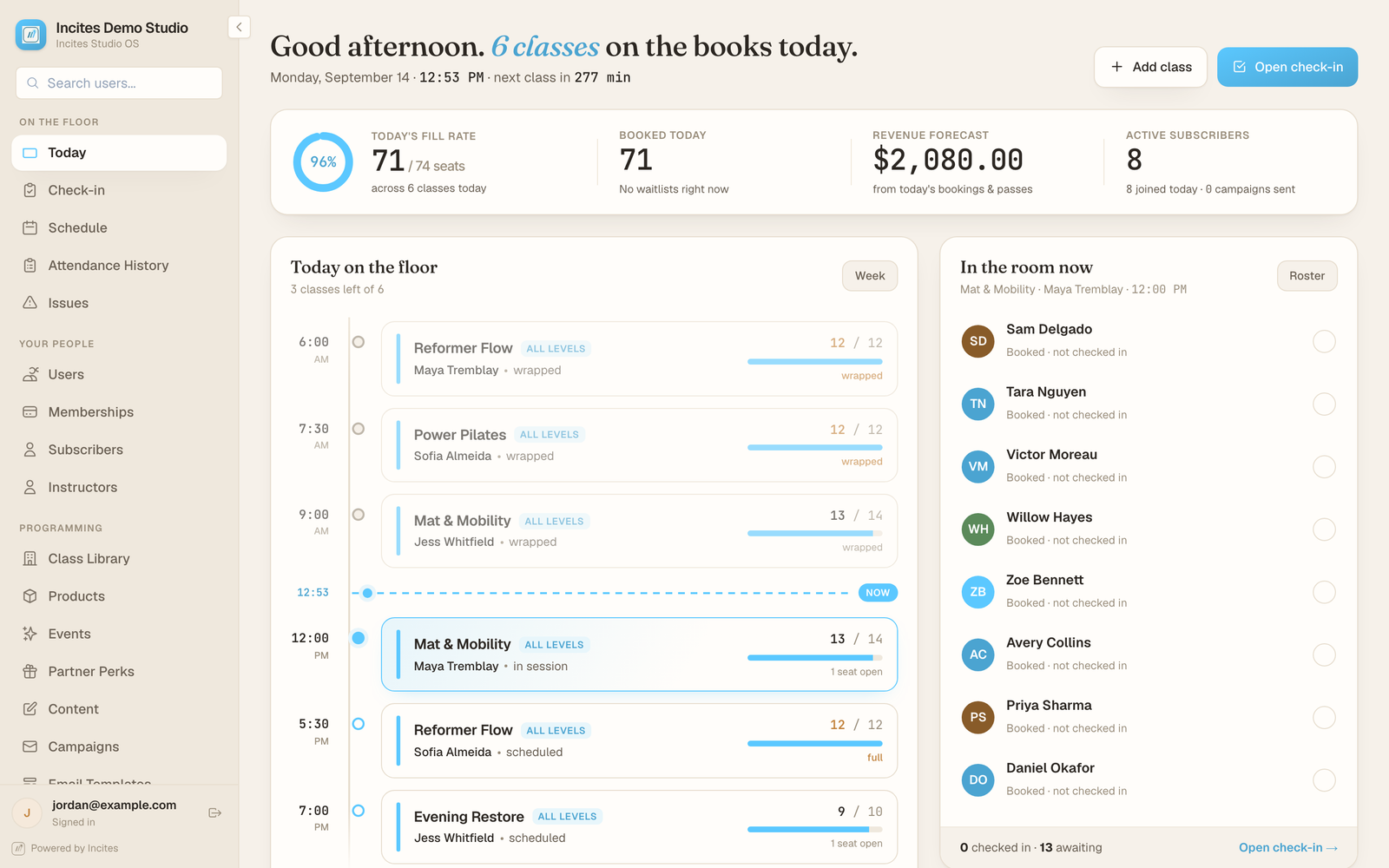
The admin dashboard opens on today: the classes running, how full they are, and the members moving through them.

Admin dashboard, /admin · demo studio, synthetic data 02The owner
Set the week once.
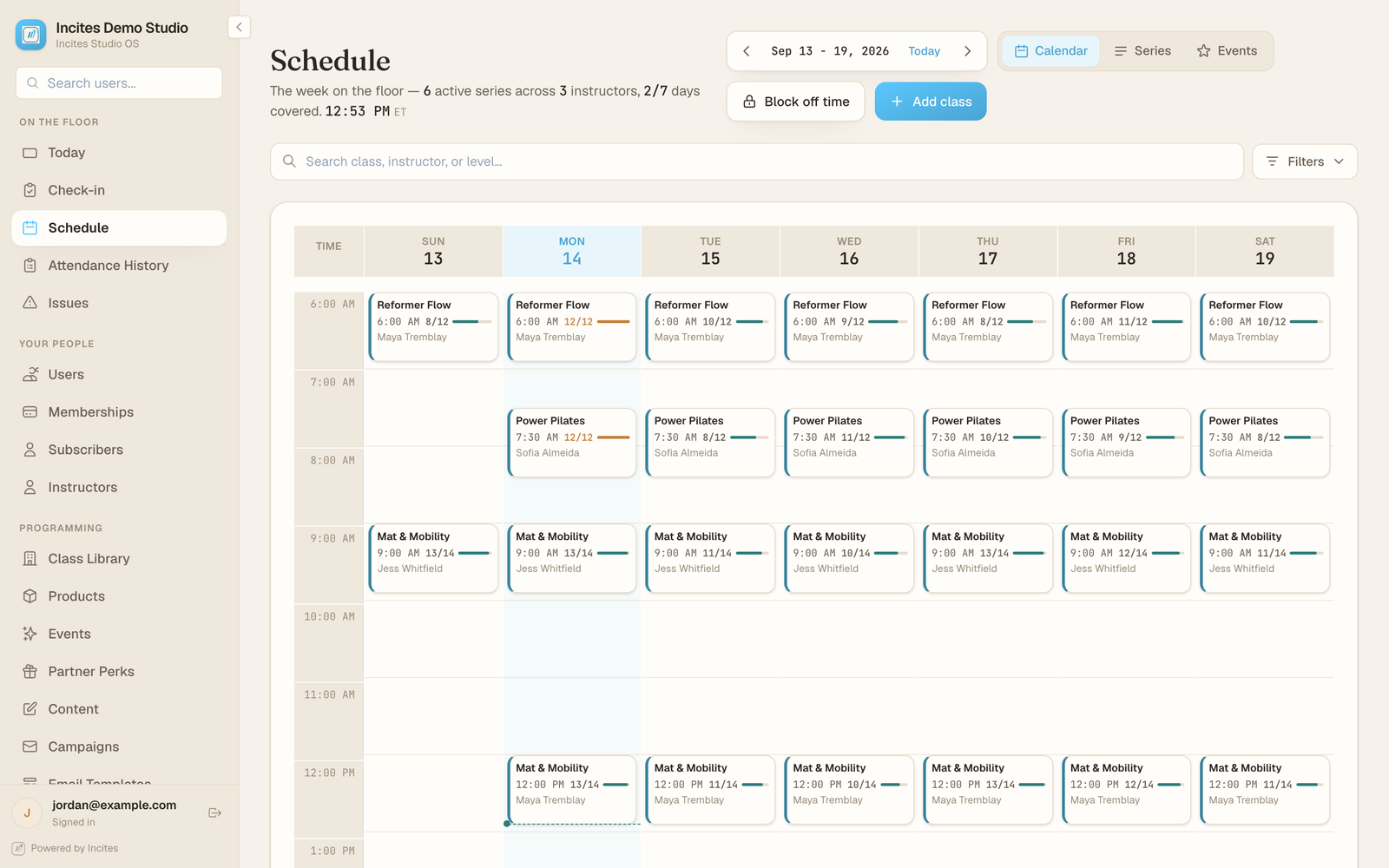
Weekly classes run as rolling series that extend themselves, so next month is not rebuilt by hand. Times, instructors and class types are changed in the same place.

Schedule manager, /admin/schedule · demo studio, synthetic data 03The front desk
Know who is in the room.
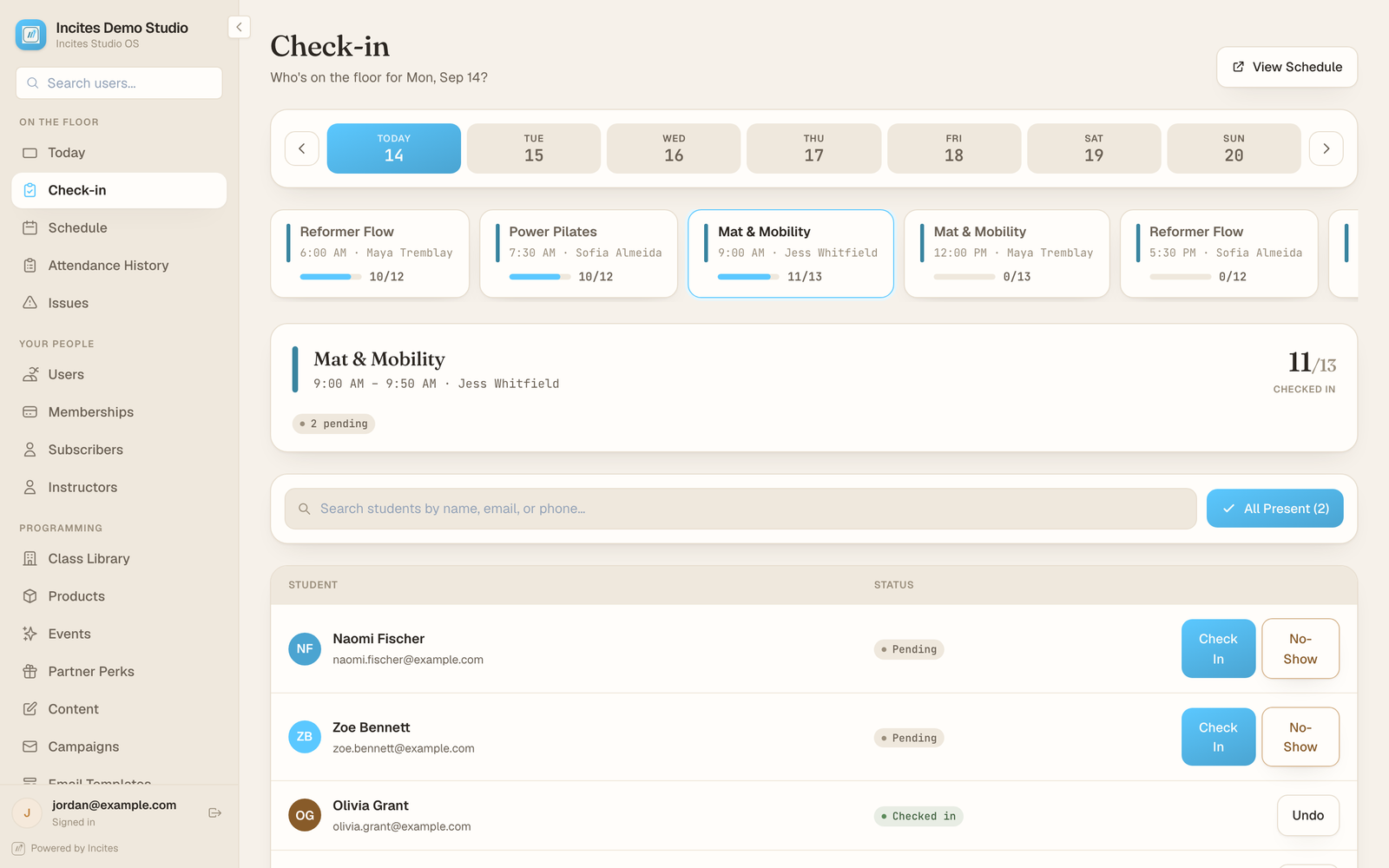
Open a class and the roster is one tap per member: checked in, or marked a no-show. Attendance is recorded as the class happens.

Class roster and check-in, /admin/check-in · demo studio, synthetic data 04The owner
See what the team is owed.
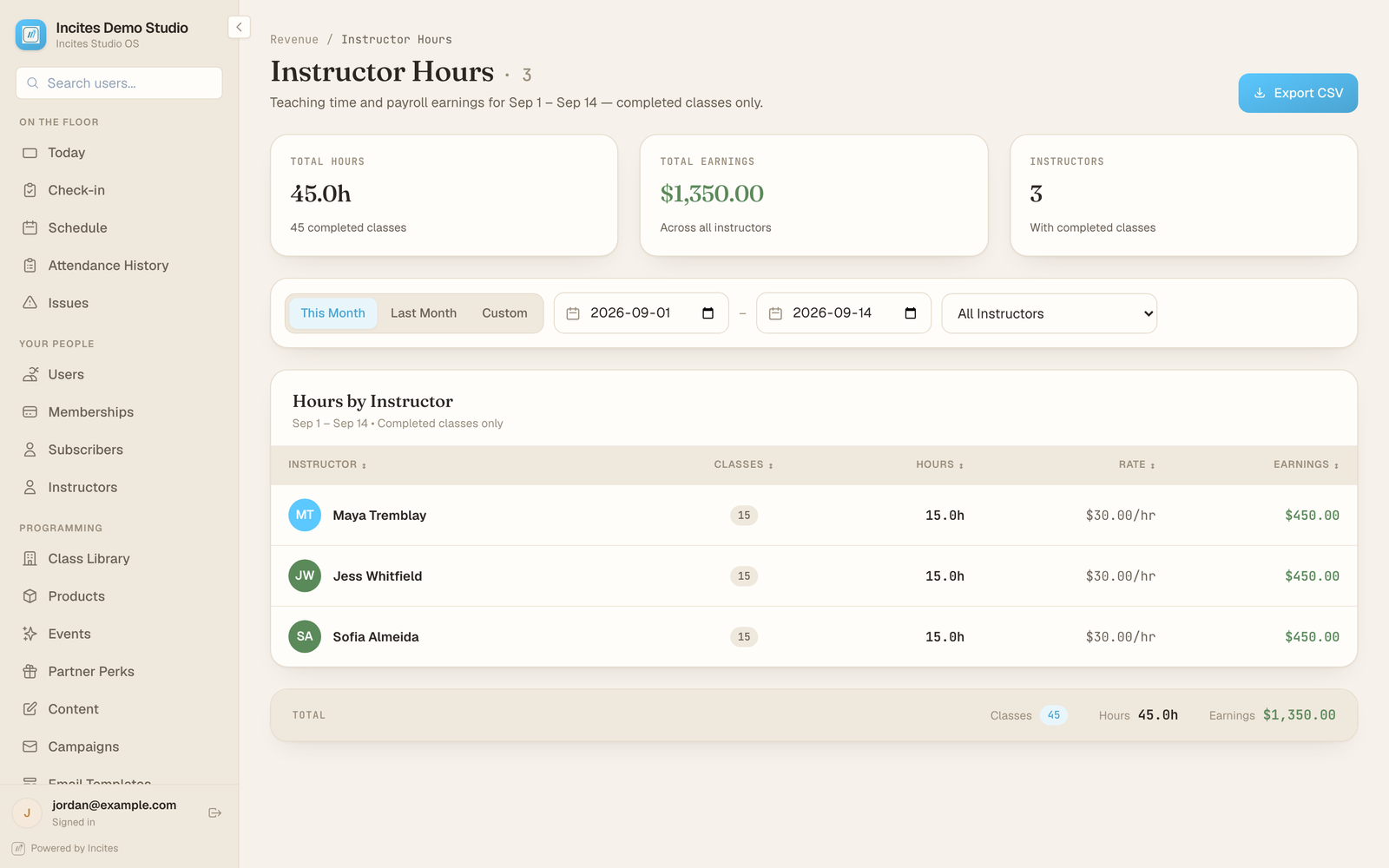
Classes taught, hours and pay per instructor for a date range, exportable. The numbers come from the classes that actually ran.

Instructor hours, /admin/instructor-hours · demo studio, synthetic data 05The instructor
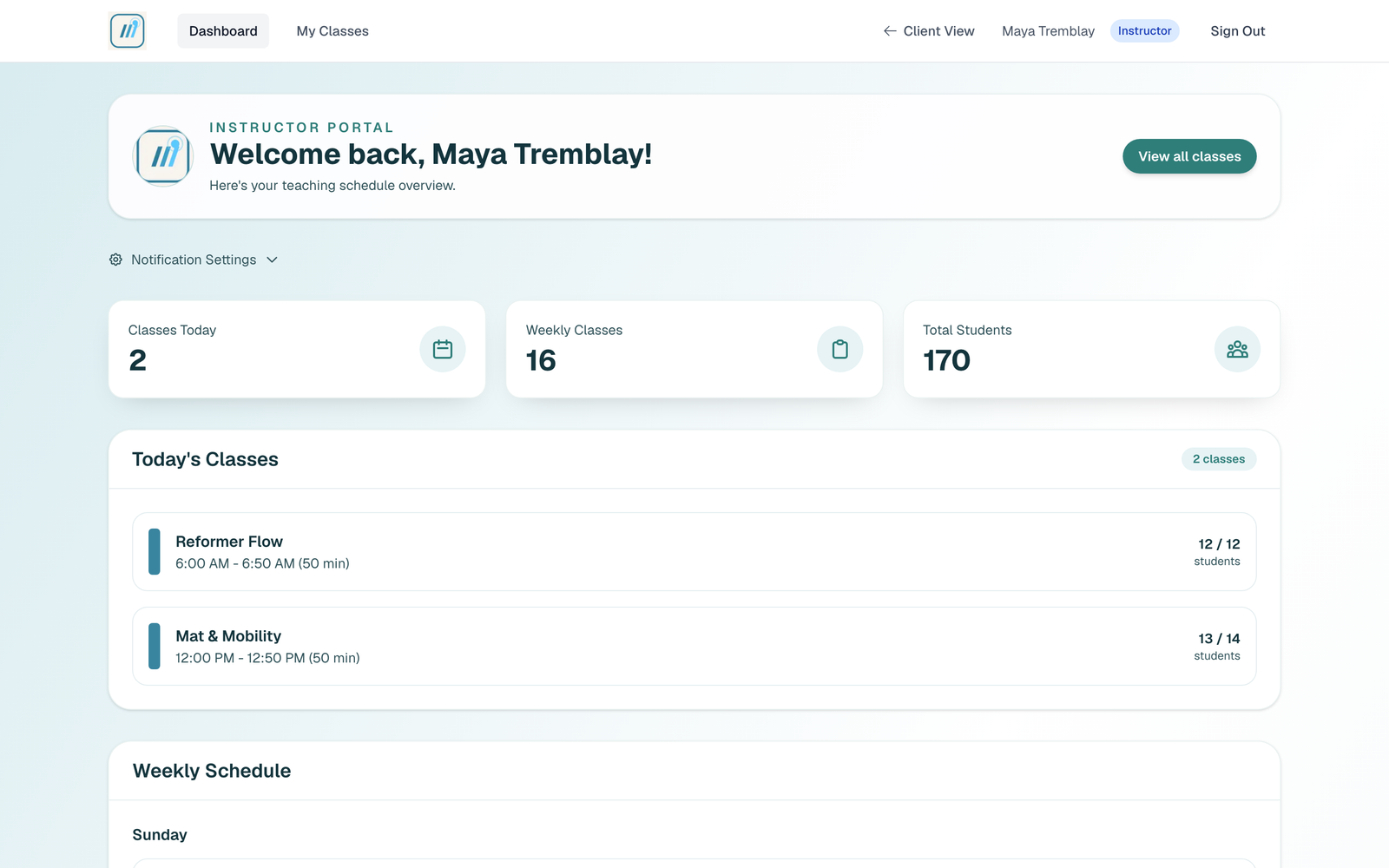
Your team gets its own workspace.
An instructor signs in to their own portal and sees only their classes: what they are teaching today, the week ahead, and the roster for each one. They never need the owner’s login.

Instructor portal, /instructor/dashboard, signed in as an instructor · demo studio, synthetic data 06The member
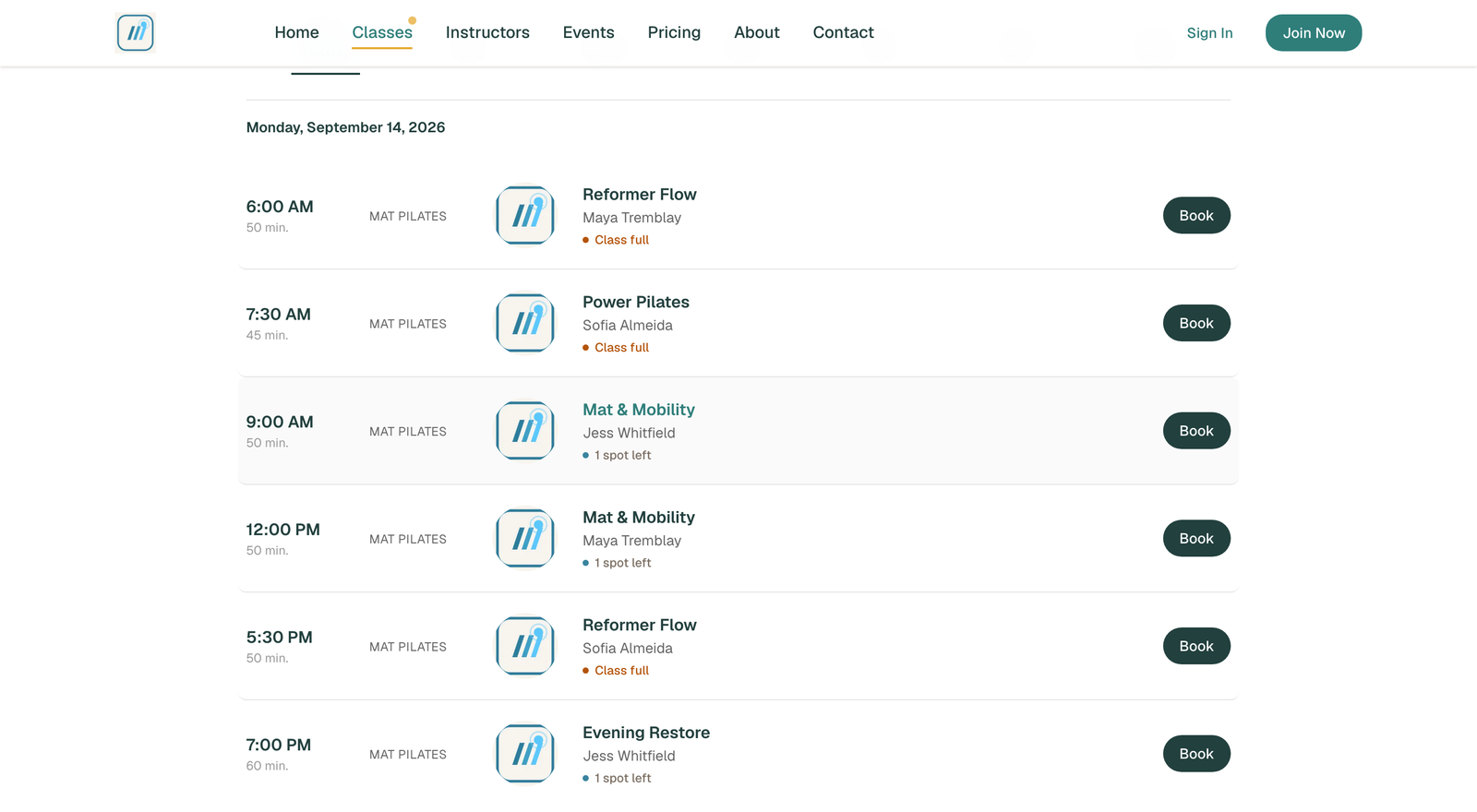
Members book on your site, not ours.
The client-facing schedule runs on the studio’s own domain, carrying the studio’s branding. Availability is live and booking starts here.

Client booking page, /classes · demo studio, synthetic data 07The member
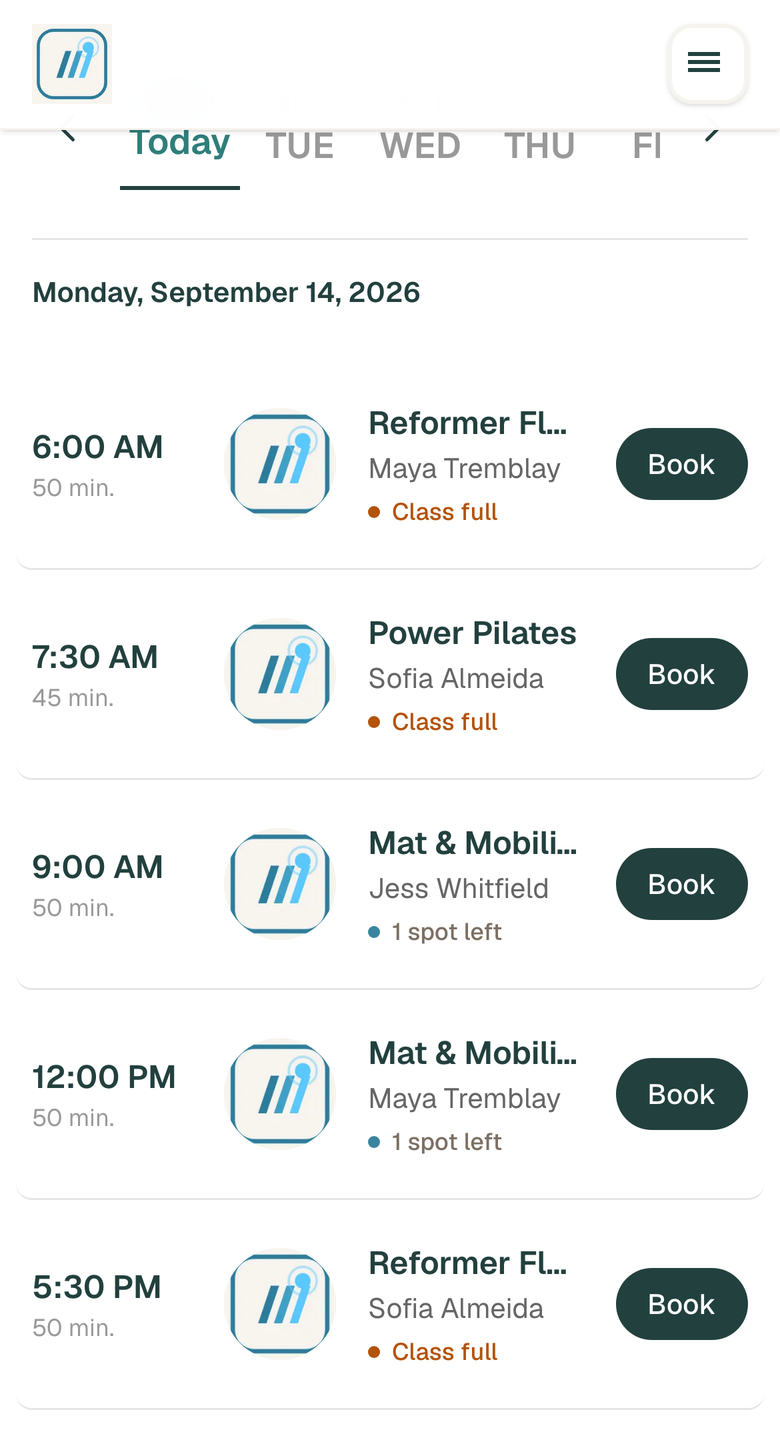
The same page, on the phone they actually use.
Most members book from a phone. This is the same schedule at 390 pixels wide, captured in a touch context rather than a narrowed desktop window.

Client booking page on a 390 x 844 phone viewport · demo studio, synthetic data
What this walkthrough is not.
- Every screen is a screenshot, not a live console. Nothing on this page can be clicked through into the product.
- The data is synthetic. The studio, the members and the instructors were generated for the capture; no real studio’s data appears here.
- Ads and marketing screens are not shown. That add-on is in development and not generally available, so it is not part of what this page offers.
For a studio that runs on this every day rather than a demo one, Solstice Pilates is live in Ancaster, Ontario, and its site is open to anyone. For a driven walkthrough of your own setup, ask us for one.